Shopify AI Built Store: One-Click Store Builder
How I am building Shopify AI Built Store: an ongoing web application that connects merchant operations, product discovery, Shopify catalog publishing, stock-out recovery, support tickets, and AI coaching in one workflow.
Project overview
Shopify AI Built Store is a web application I am building to help a merchant move from finding a product to operating a Shopify store without stitching together disconnected tools. The product brings the marketing site, authentication, merchant workspace, staff operations, product sourcing, Shopify publishing, inventory recovery, and AI coaching into one system.
This is an ongoing project I am actively building right now, so this case study documents the product direction, current architecture, and the workflows being implemented rather than presenting unfinished features as final results.
The product problem
A merchant launching or growing a Shopify business has to make decisions across several systems. Products may live in a research database, catalog changes happen in Shopify Admin, stock problems appear after a listing is already active, and business questions are answered somewhere else. Every handoff adds repetition and creates another place where data can become stale.
Shopify AI Built Store is designed around one operating flow: discover a product, review its data, push it to Shopify, build the storefront, monitor availability, recover from stock-outs, and get contextual guidance without leaving the merchant dashboard.
Product goals
- Give visitors a clear marketing site before asking them to create an account
- Provide secure authentication and role-aware access for merchants and staff
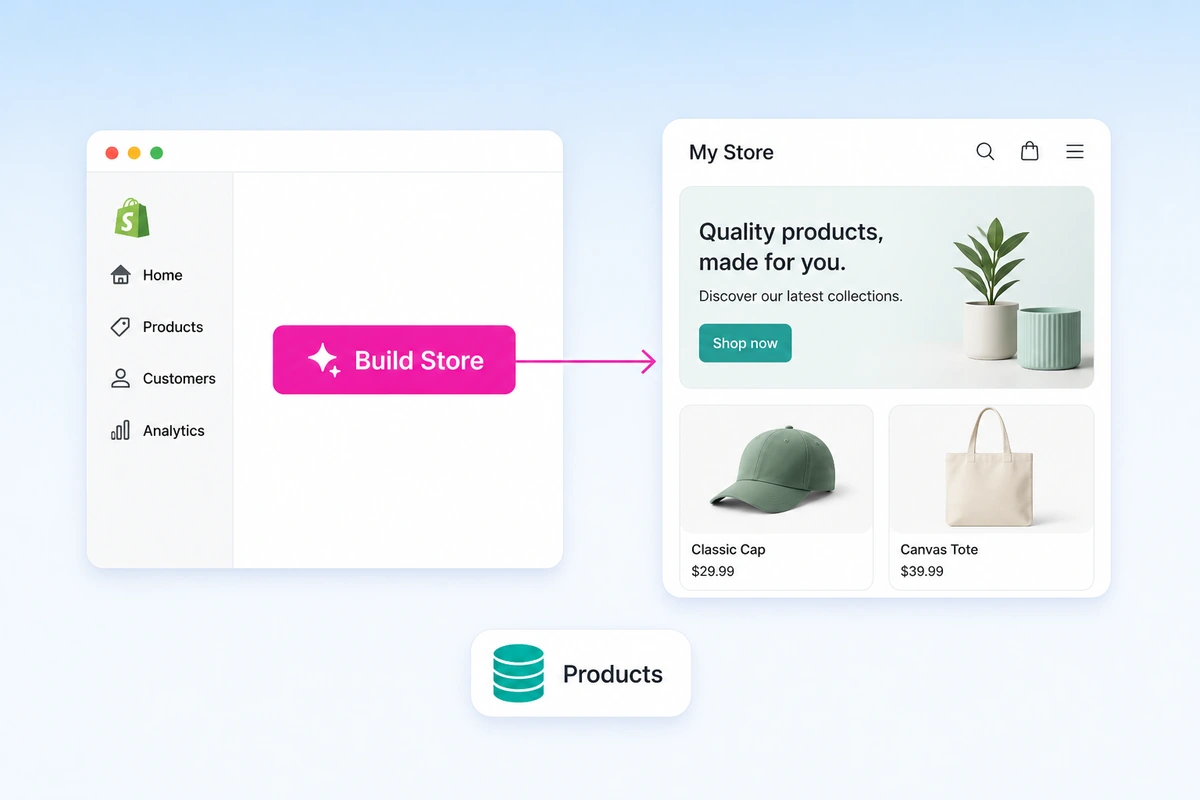
- Turn store creation into a guided one-click workflow
- Move reviewed products from an internal database into a Shopify catalog
- Surface hot-selling product opportunities without claiming guaranteed sales
- Detect stock-outs and guide the merchant toward a safe recovery action
- Let merchants raise support tickets and let staff resolve or assign them
- Bring AI coaching into the workflow where the merchant makes decisions
One application, two operational views
Merchant dashboard
The merchant dashboard is the product’s main workspace. It is being designed to show the store-building workflow, product database, Shopify publishing status, product-discovery signals, inventory issues, support tickets, and AI Coach in one place. The merchant remains in control of actions that change the live store, and can open a support ticket from the same dashboard when something needs human help.
Staff dashboard
The staff dashboard separates platform operations from merchant actions. Staff can manage product records, review the data merchants depend on, investigate failed workflows, and work the support queue — resolving a merchant’s ticket directly or assigning it to another staff member — without exposing internal controls inside the merchant experience.
Authentication and role boundaries
Authentication is more than a login screen in this product. It determines which dashboard a user can enter and which operations they can perform. Merchant and staff permissions are kept separate so a convenient workflow does not become an unrestricted one.
The one-click Shopify store workflow
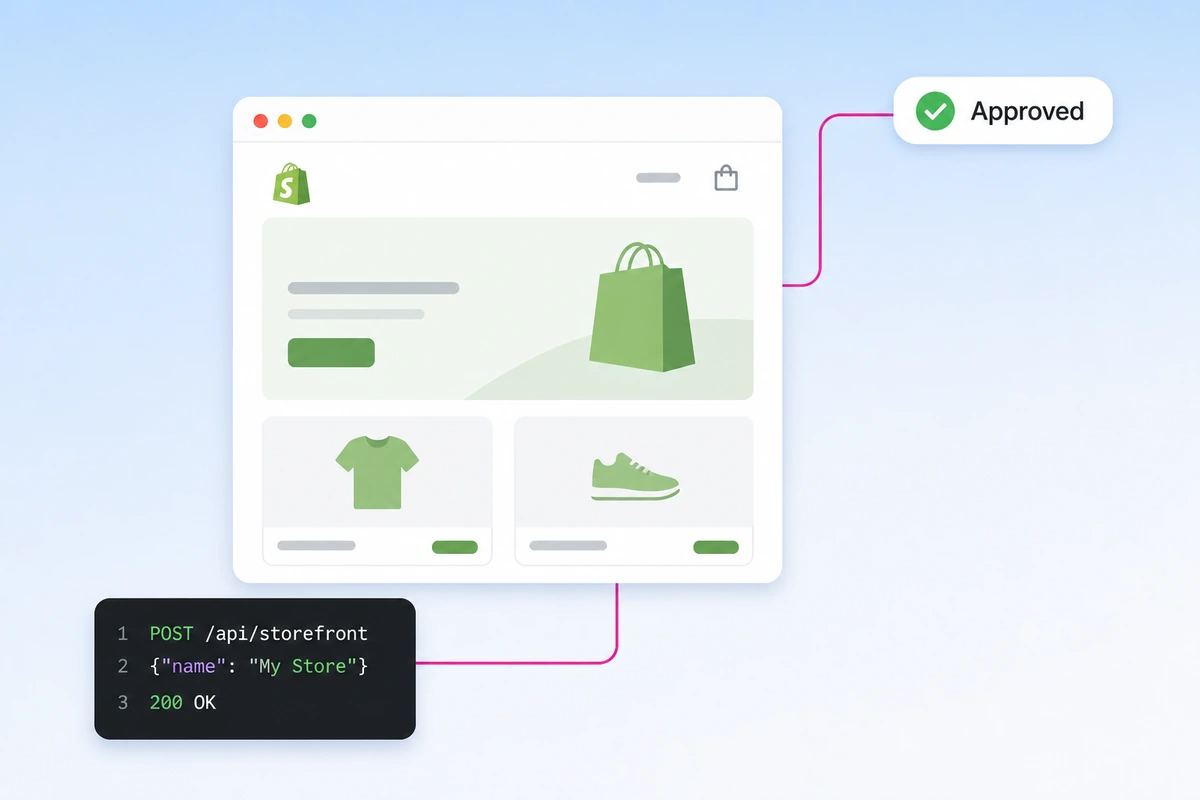
The store builder starts in the web application and delegates Shopify-specific operations to a Node.js Shopify app and its API layer. Instead of making the merchant repeat setup across several screens, the interface presents the work as a sequence with visible progress and recoverable states.
- Connect: authenticate the Shopify store and verify that the required access is available.
- Configure: collect the product and storefront choices needed by the workflow.
- Build: send controlled store-building tasks through the Node.js Shopify API integration.
- Verify: confirm which Shopify resources were created and surface anything that needs attention.
- Launch: return control to the merchant with a clear view of the resulting store state.
The permission and review model came from rebuilding Shopify AI Store Builder after its Theme Asset API request was rejected. The narrower, approved approach now gives this broader merchant application a safer boundary for store automation.
Publishing products from the database to Shopify
A merchant can select a reviewed product record from the application database and prepare it for Shopify without copying every field by hand. The publishing workflow maps the product’s title, description, media, variants, pricing, inventory data, and supporting metadata into the format expected by Shopify.
Before the product is pushed, the merchant can review the source data and decide what should appear in the live catalog. After the API call, the dashboard records the result so a failed upload can be investigated without blindly creating duplicates.
Product Hunter and hot-selling discovery
Product Hunter is the product-discovery area connected to the internal product database. It organizes products that may be worth evaluating and highlights hot-selling signals to help merchants decide where to research next.
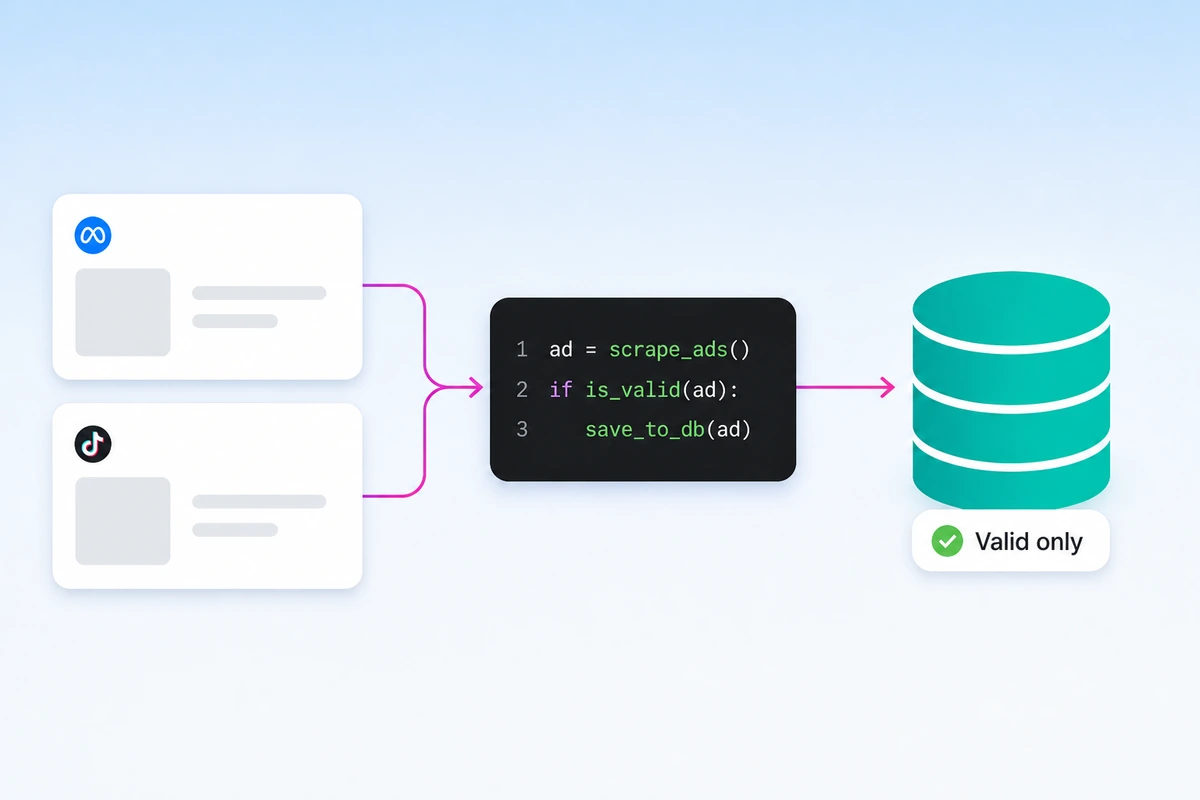
Product Hunter draws its market signals from live Meta and TikTok ads collected and filtered for dropshipping relevance. Only validated product candidates enter the database for merchants to review.
A hot-selling label is treated as a research signal, not a promise. Demand can change, supplier data can be incomplete, and a trending product can still be a poor fit for a specific audience or margin. The dashboard keeps that uncertainty visible before the merchant adds anything to Shopify.
From discovery to catalog
- Browse product records and filter potential opportunities.
- Open the source record and inspect the available product data.
- Review the hot-selling signal, stock position, pricing, and store fit.
- Prepare the Shopify product fields and make any merchant-specific edits.
- Push the approved product through the Shopify API and record the result.
Stock-Out Solver
Stock-Out Solver treats unavailable inventory as a workflow that needs a decision, not only as an alert. When the application identifies a stock problem, it surfaces the affected product and gives the merchant a recovery path.
- Review the latest availability data before changing the live listing
- Pause or adjust the affected product when selling it would create customer risk
- Evaluate a replacement product or supplier record from the database
- Update the Shopify catalog only after the merchant confirms the action
- Keep the issue visible until the live-store state and internal record agree
The important design choice is that the solver does not hide uncertainty. It helps the merchant resolve the problem while preserving an auditable path from detection to action.
Support tickets: merchant requests, staff resolution
Not every problem should be answered by automation. When a merchant needs a person, they can open a support ticket from the merchant dashboard, describe the issue, and track its status without leaving the application or moving to a separate email thread.
On the other side, staff work those tickets from the staff dashboard. A ticket can be resolved directly by the staff member who picks it up, or assigned to another staff member who is better placed to handle it. Ownership stays explicit, so a request is neither answered twice nor quietly dropped.
- Merchant opens a ticket from the merchant dashboard and follows its status
- Staff triage the incoming queue from the staff dashboard
- A ticket is resolved by the assignee or reassigned to the right staff member
- The merchant sees the outcome in the same place they raised the request
Keeping support inside the product means a ticket can reference the exact store, product, or workflow it is about, instead of starting every conversation with no context.
Shopify AI Coach integration
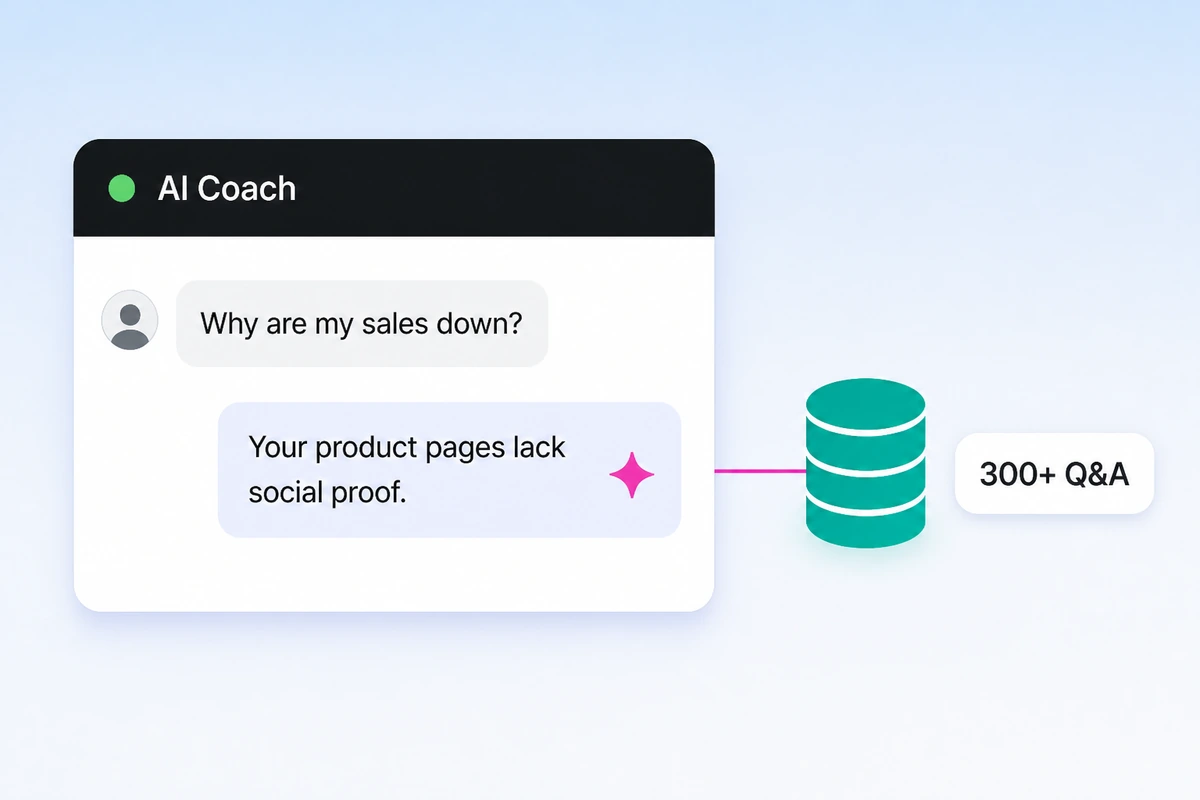
AI Coach is being integrated directly into the merchant dashboard so guidance can use the context of the task in front of the merchant. A user reviewing a product, diagnosing low conversion, or handling a stock-out should not have to leave the workflow and restate the entire situation in a separate chatbot.
The dashboard uses a retrieval-first coaching model: answer from vetted merchant knowledge when a strong match exists, then use an LLM fallback for questions outside the seeded knowledge base. Connecting that model to the current store task keeps the guidance specific.
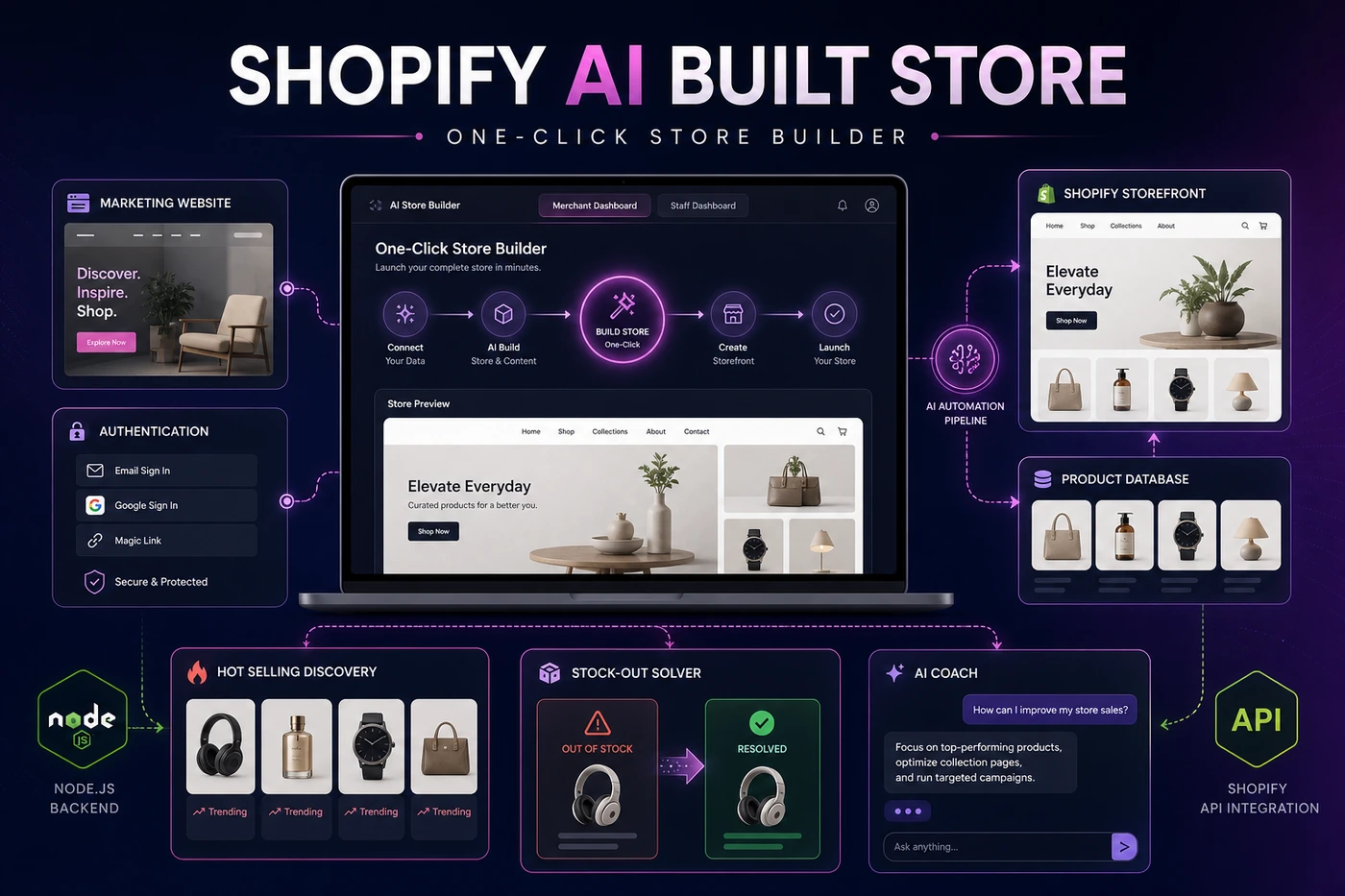
Application architecture
The web application owns the marketing experience, authentication, merchant and staff dashboards, internal product data, workflow state, and AI Coach interface. A Node.js Shopify app forms the boundary for Shopify authentication and API operations. Keeping Shopify calls behind that integration makes permissions, retries, failures, and API responses easier to reason about than scattering them throughout the dashboard.
Longer workflows are modeled as steps rather than one opaque request. Each step can report progress, preserve the last successful state, and show the merchant what still needs attention. Credentials and environment-specific configuration remain outside the codebase.
Current build status
Shopify AI Built Store is actively being developed. This page covers the intended user journeys and system boundaries; it will be updated with verified implementation details, interface evidence, and outcomes as each workflow is completed and tested.
- Marketing site and authenticated application entry
- Merchant and staff dashboard responsibilities
- Node.js Shopify app API workflow for one-click store building
- Database-to-Shopify product publishing flow
- Product Hunter and hot-selling discovery experience
- Stock-Out Solver recovery workflow
- Support tickets with merchant requests and staff resolve-or-assign handling
- Shopify AI Coach integration inside the merchant dashboard
What I am validating next
The next stage is to validate the complete path with real workflow evidence: permission boundaries, duplicate-safe product publishing, partial-failure recovery, inventory freshness, staff support controls, and the relevance of AI Coach answers inside each merchant task.
The goal is not to automate every decision. It is to connect the right data, API action, and guidance at the moment a merchant needs to decide.
- Shopify AI Built Store
- One-Click Store Builder
- Node.js
- Shopify API
- Merchant Dashboard
- Staff Dashboard
- Product Database
- Product Hunter
- Stock-Out Solver
- Support Tickets
- Shopify AI Coach